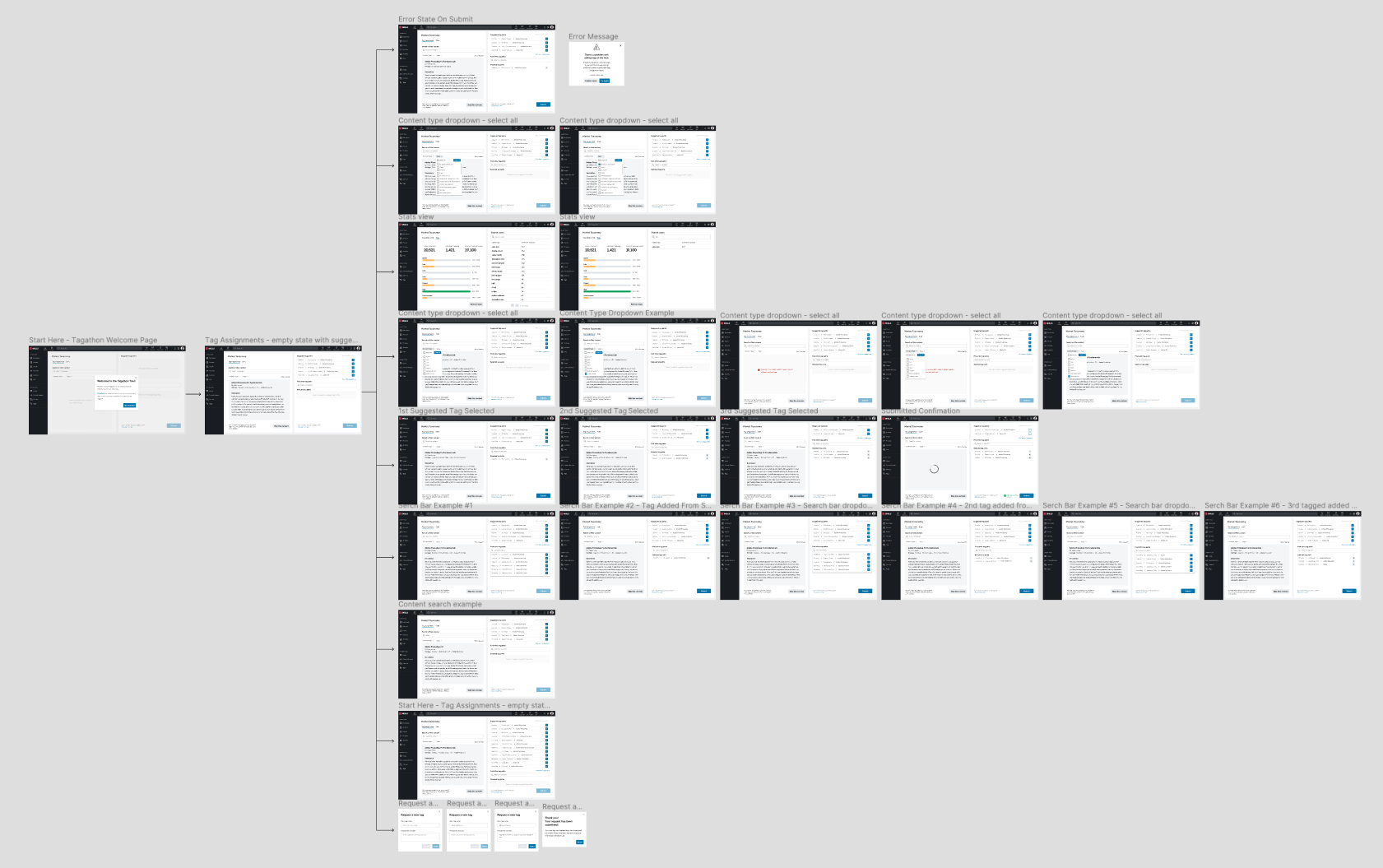
Taxonomy Tagging Tool is an internal tool at Pluralsight used to tag all platform content to our taxonomy.

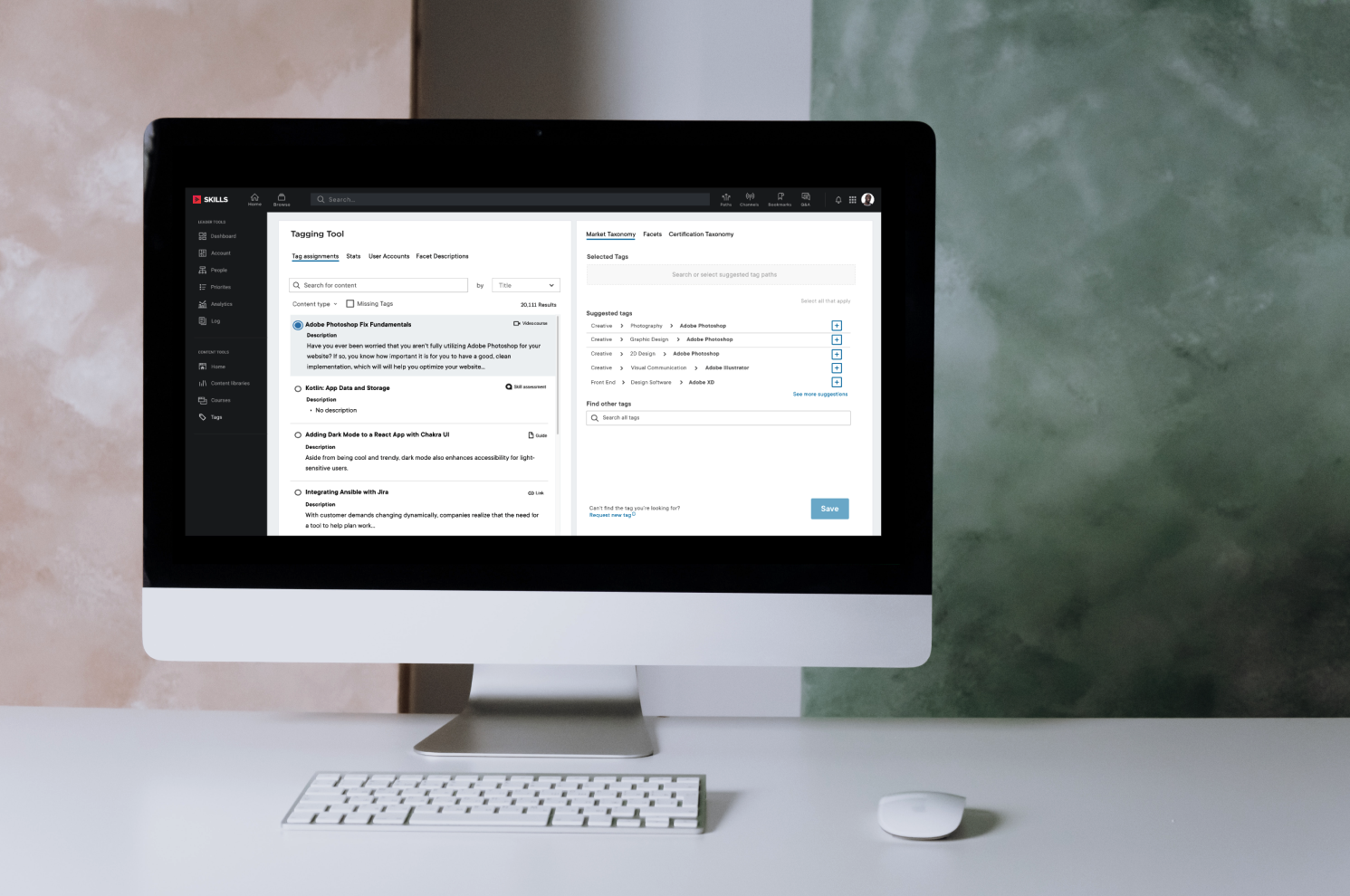
The problem we were trying to solve.
Pluralsight has hundreds of pieces of content (video courses, assessments, etc.) that need to be linked (or tagged) to Pluralsight’s taxonomy where users cane find it on the website.
The problem we were trying to solve was, users could not find content on the website that wasn’t tagged. We needed a quick way for Pluralsight teams to tag new content as it gets into the library, as well as back-tag existing content that wasn't linked to the taxonomy.
We determined we needed a temporary tool for back-tagging and then a future state of the tool for tagging new content moving forward.
Project goals
1. Create a web application team members can use to back-tag all content.
2. Create a future state of the application to tag new content as it gets added to the library.
3. Create a fun, easy, and gamified experience to change tagging from a boring task to a fun one.
My role
I lead all the design and user research for the product. I was the lead designer on a team of 4 software engineers and 1 product manager that I collaborated with daily. I created all wireframes, mockups, and prototypes and conducted all user interviews and organization of user research for the product.
My process

Research & Define
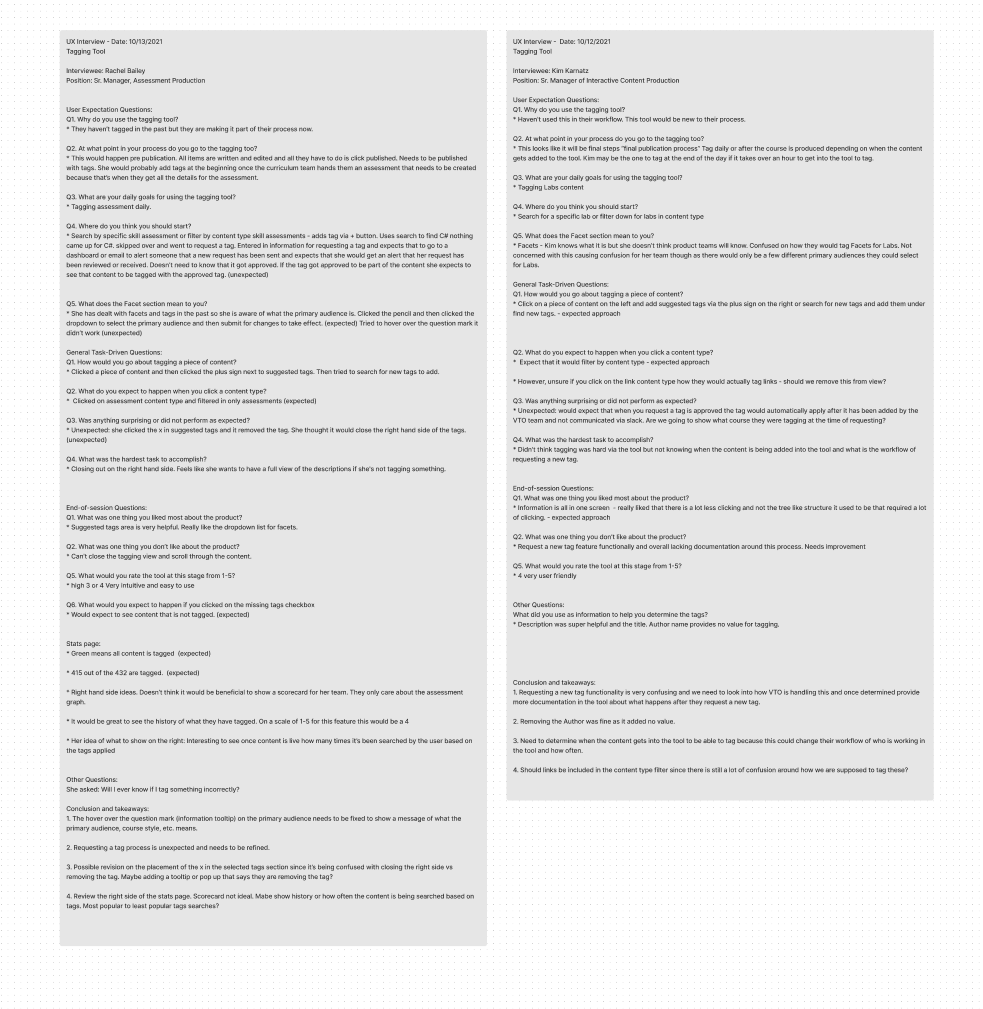
Before starting on the designs I set up user interview with our core users to get a better understanding of what problem we were trying to solve, pain points, and general user research.
Empathize with the user
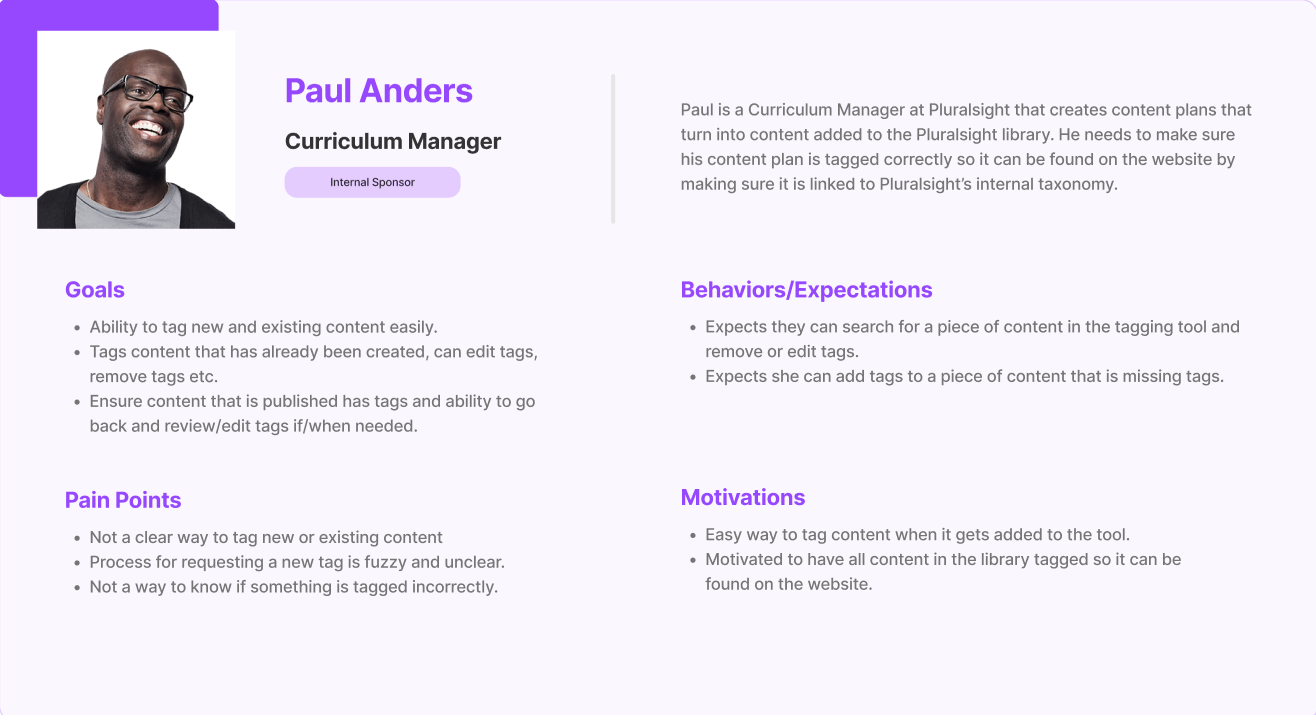
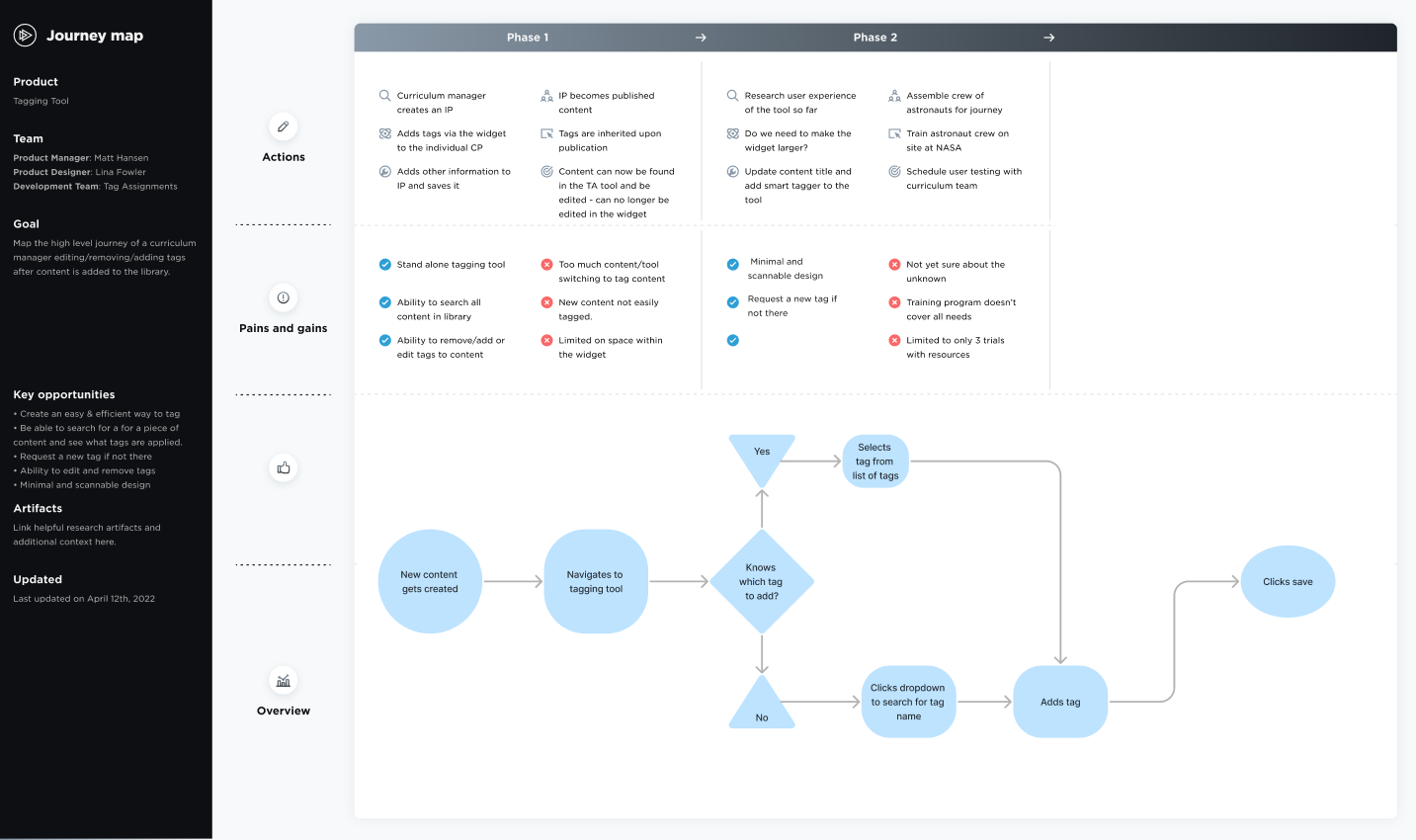
After conducting user interviews I started creating the persona for our core user the Curriculum Manager. I also created the user flow and journey map for them to make sure we kept them at the center of the design process at all times.
Ideate
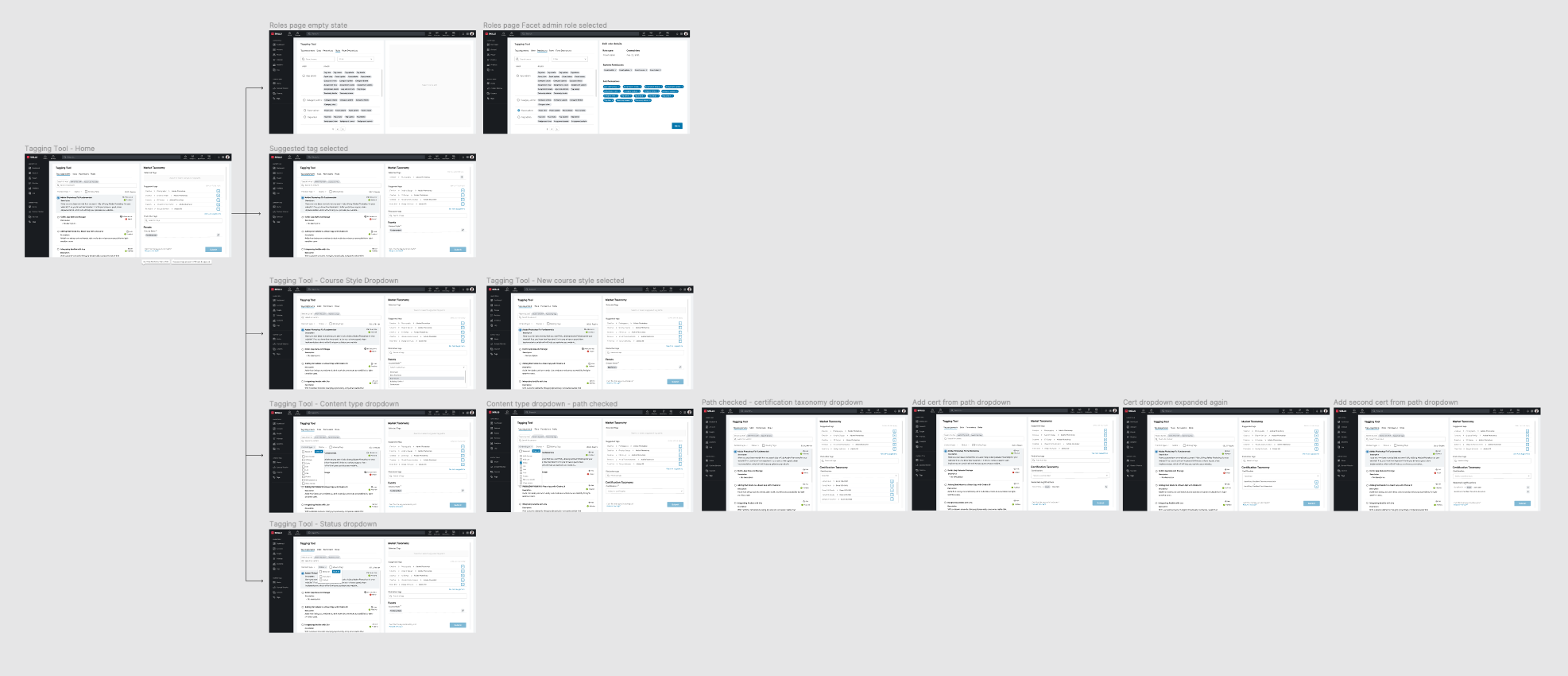
Once the first round of research was gathered I created user flows and journey maps to get a better understanding of how to approach the design. I also started created low fidelity mocks to play around with different layouts, etc.
Design
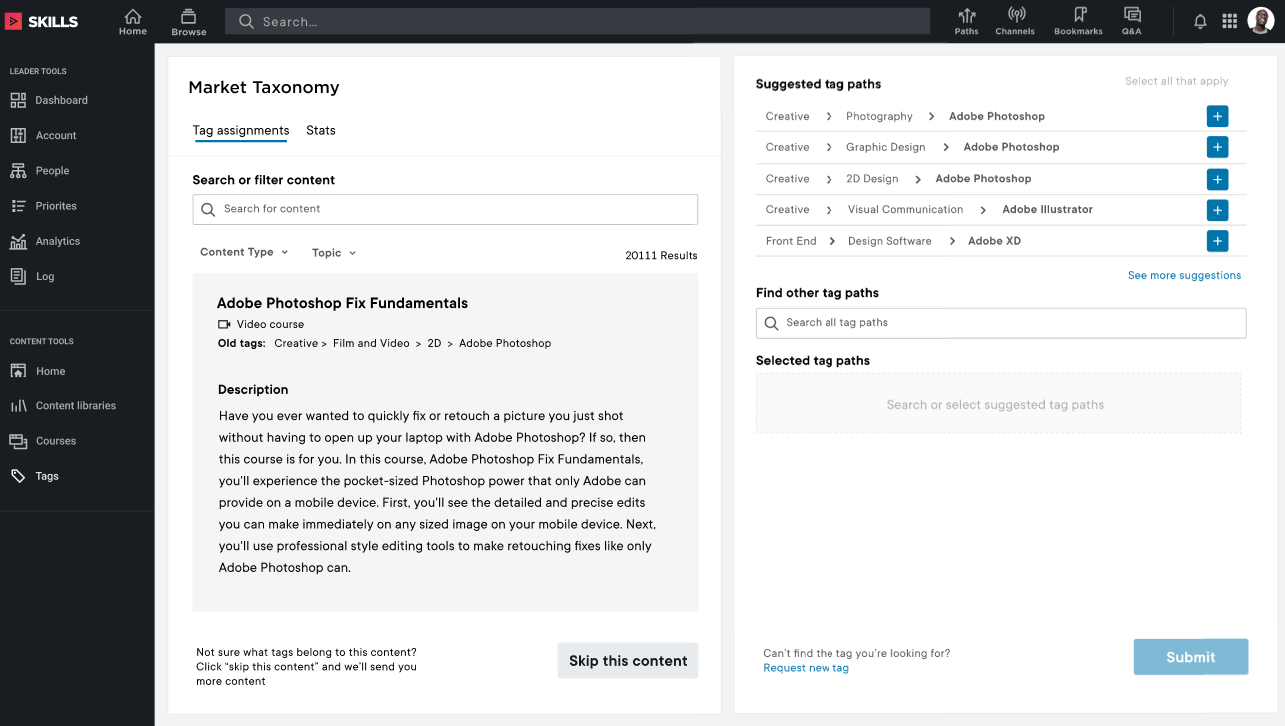
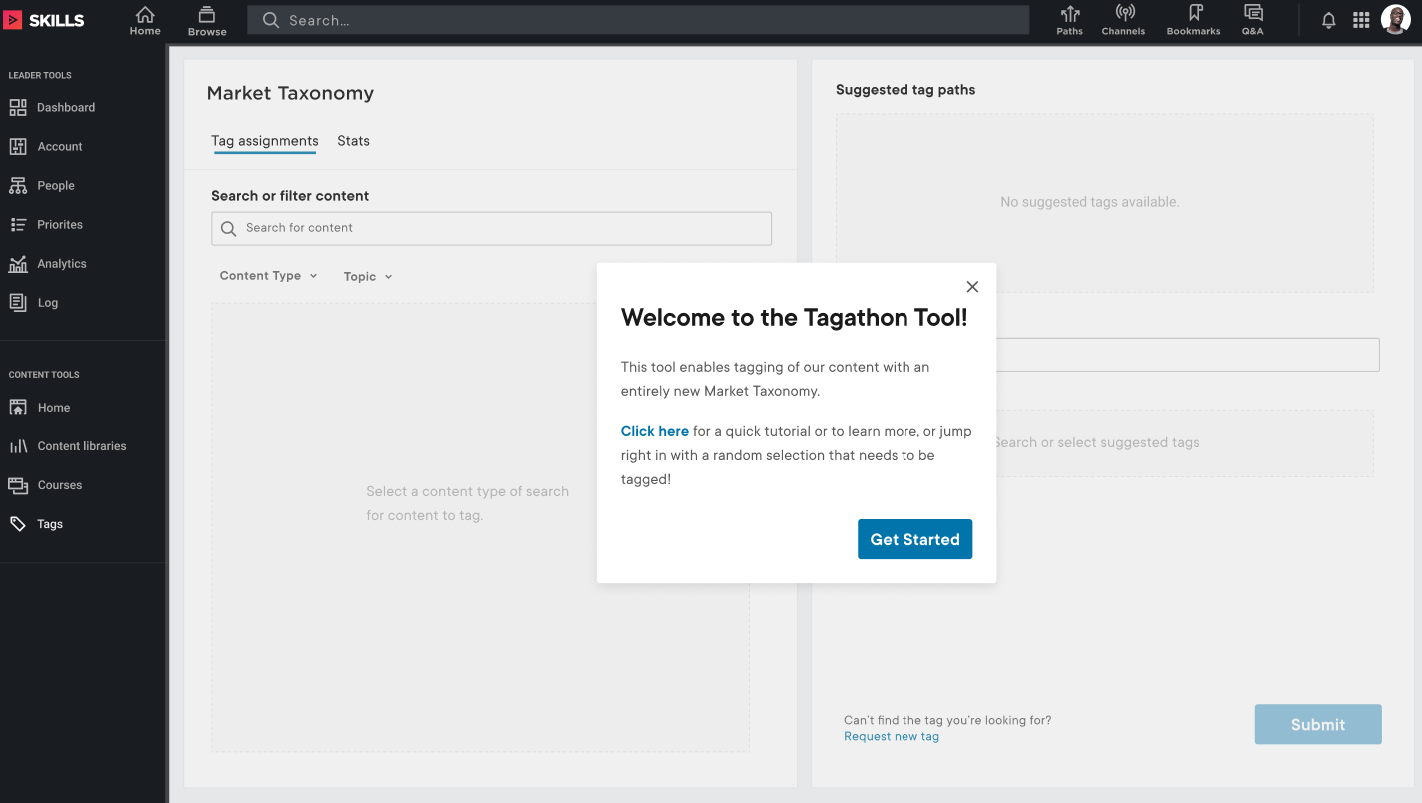
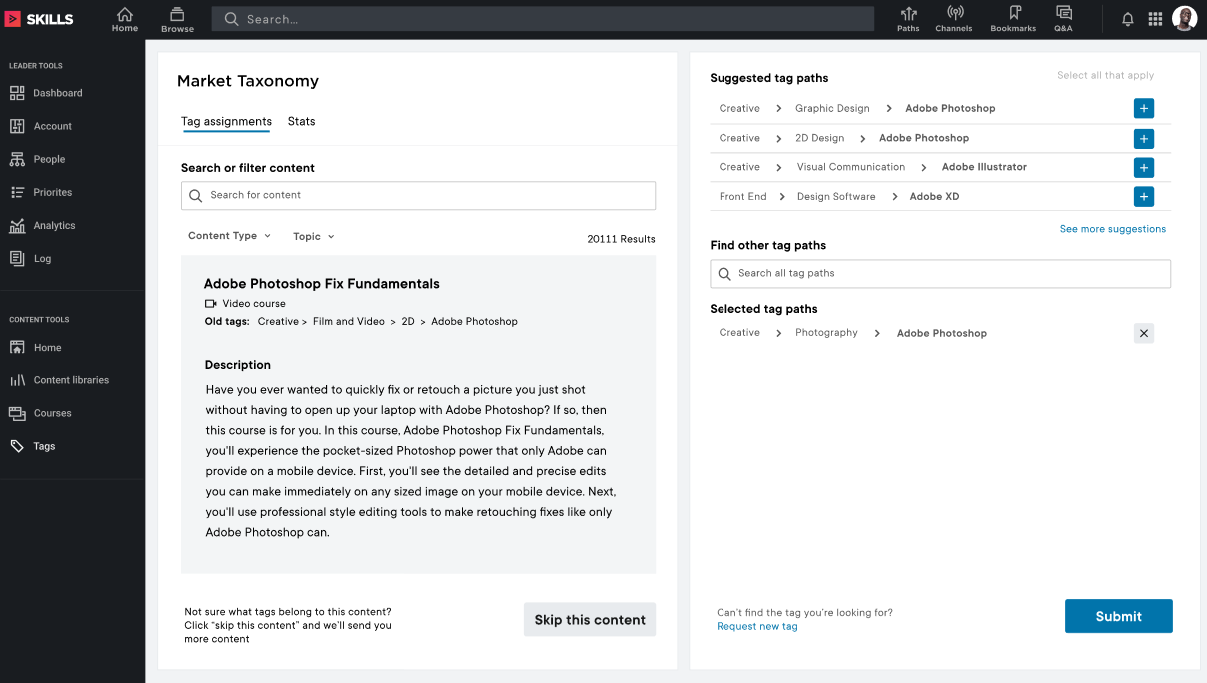
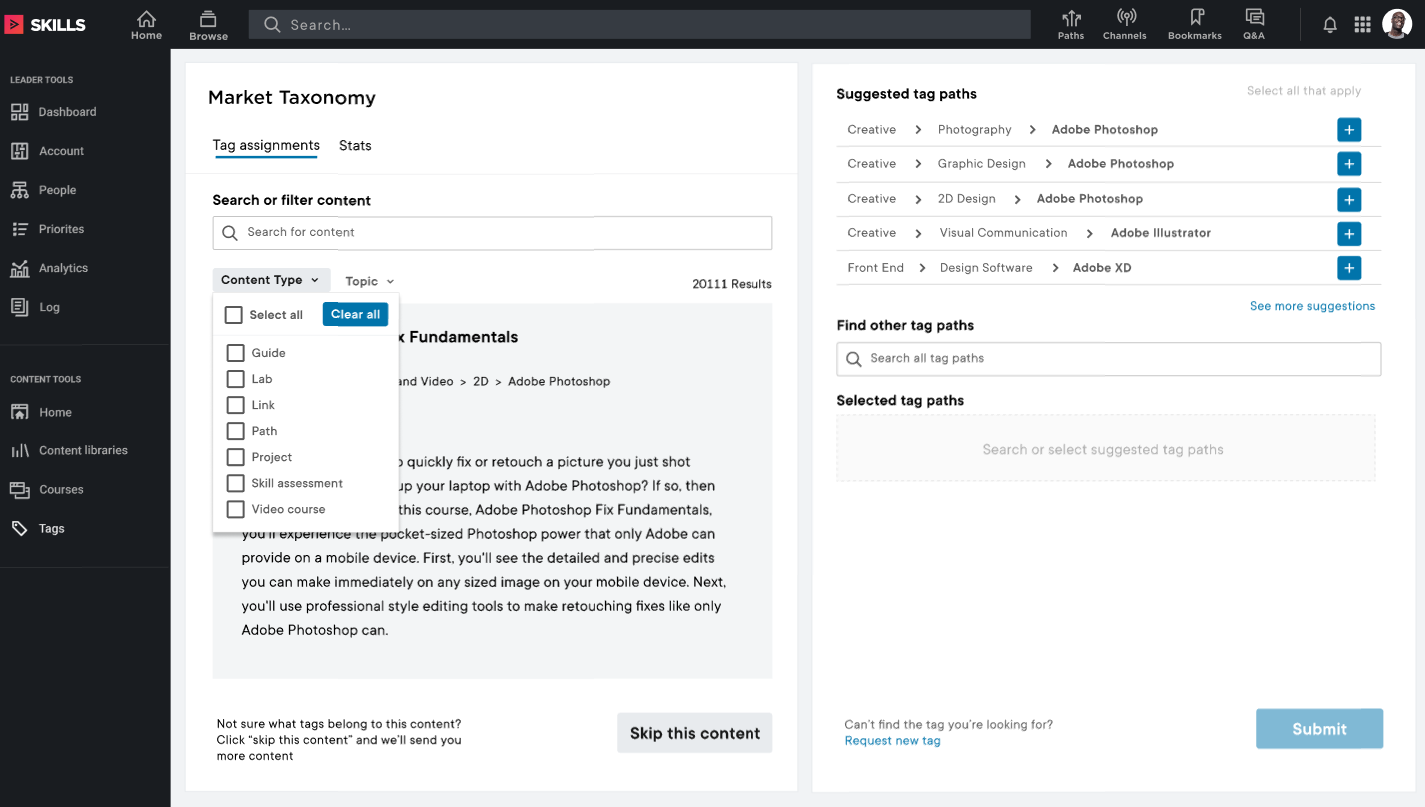
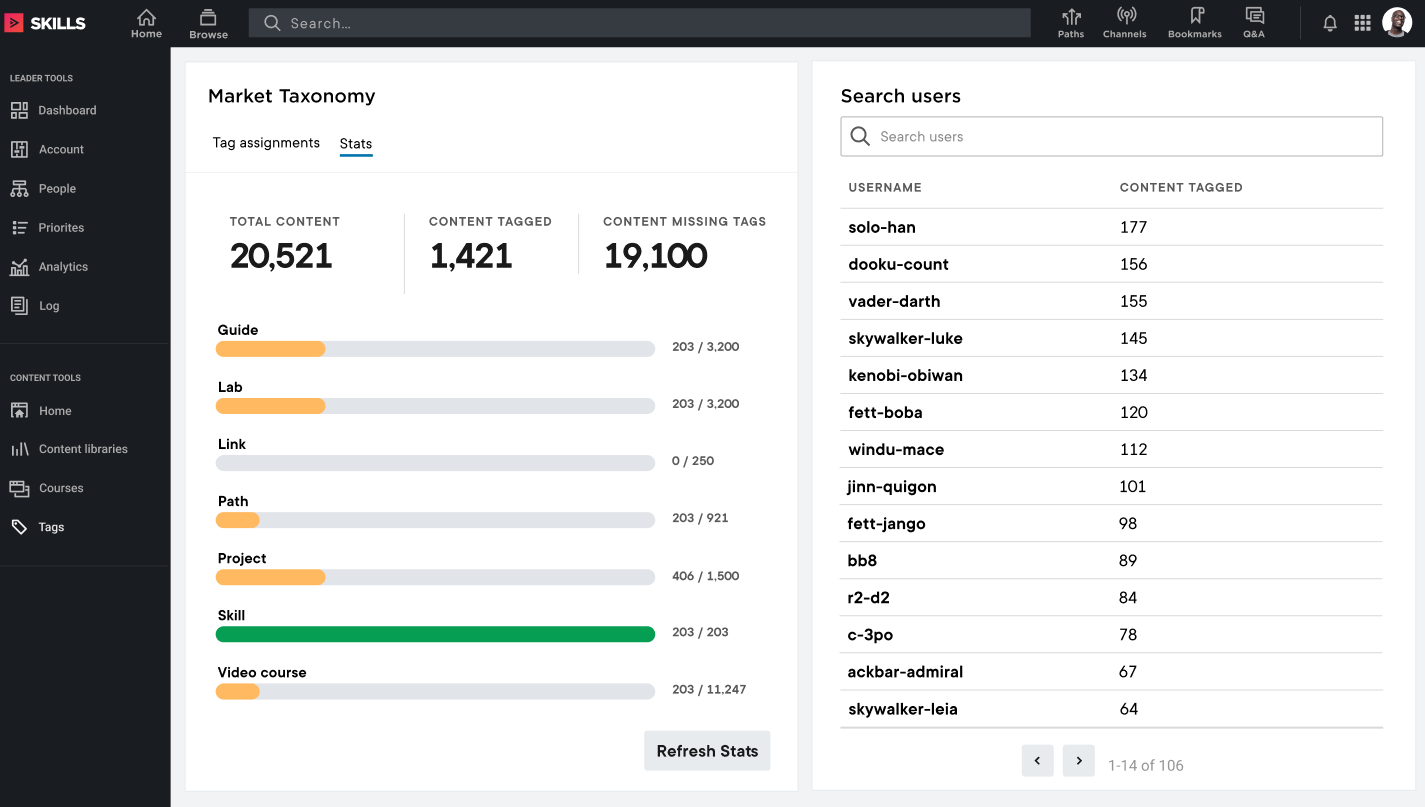
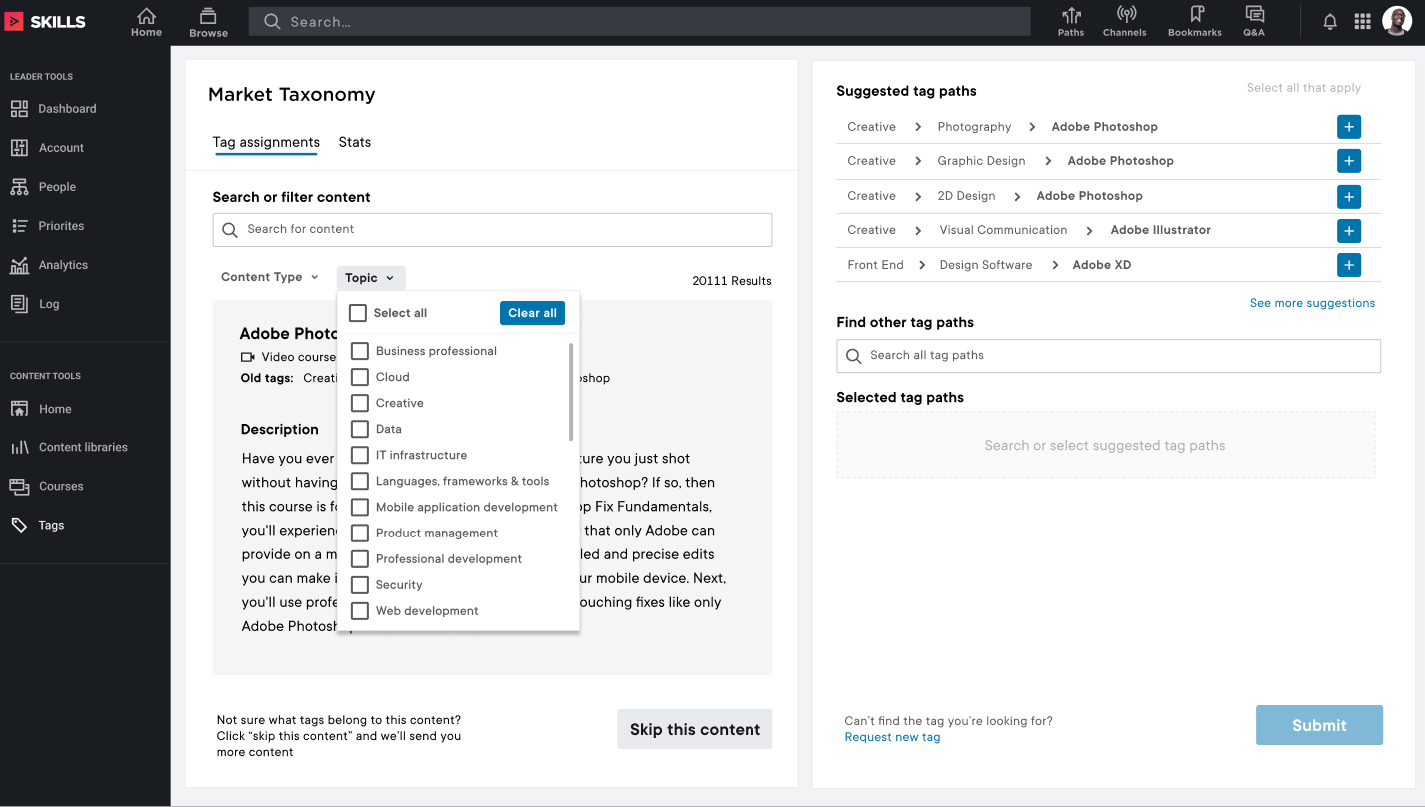
After I got an idea of layout and journeys for the users I started on the high fidelity designs for version of the tool to back-tag all content.
-
![]()
Add tag
-
![]()
Content type dropdown
-
![]()
Stats dashboard
-
![]()
Topic dropdown
Test
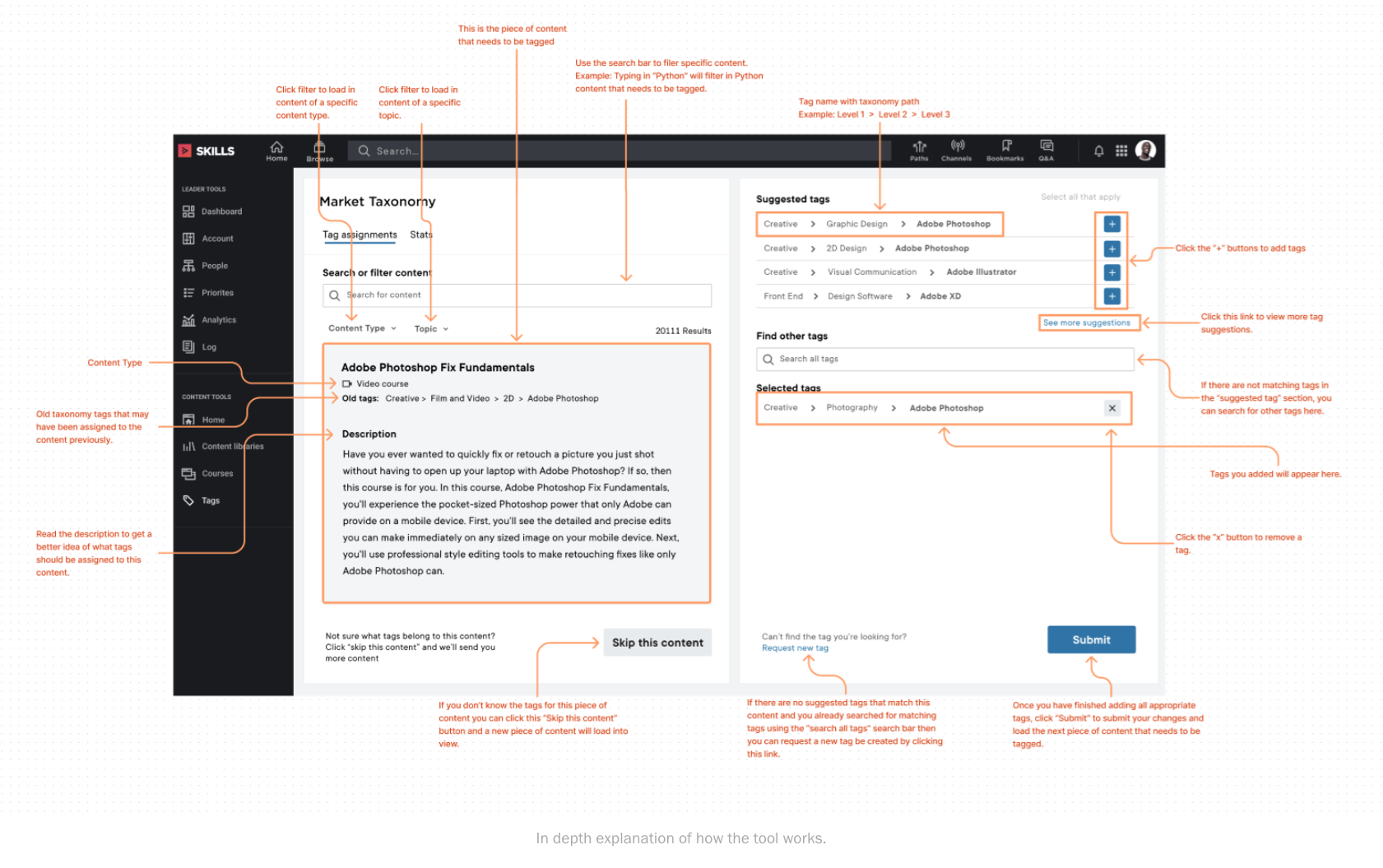
Once we had the first initial designs established, I created a prototype to test out the process of adding a tag for a piece of content and then created training documentation for the tagging event that we released to our internal users.
Reflection
We released the final product and held a company event called a Tagathon and had over 100 volunteers sign up to tag content throughout the company. We estimated it taking two full workdays to back-tag over 12,000 pieces of content.
Because of the extensive user research and continuing to iterate over my designs we successfully tagged over 12,000 pieces of content in under 6 hours.
We successfully created a fun, easy, and efficient way for users to not only back tag their existing content but their future content as well.